 Sumbox
 Chrome Extension · Free 7-day trial
Summarize any video
or article in 10 seconds
Stop sitting through hour-long videos and skimming walls of text. Sumbox gives you structured takeaways with clickable timestamps and multilingual support — right in Chrome's side panel.
 Add to ChromeNo credit card required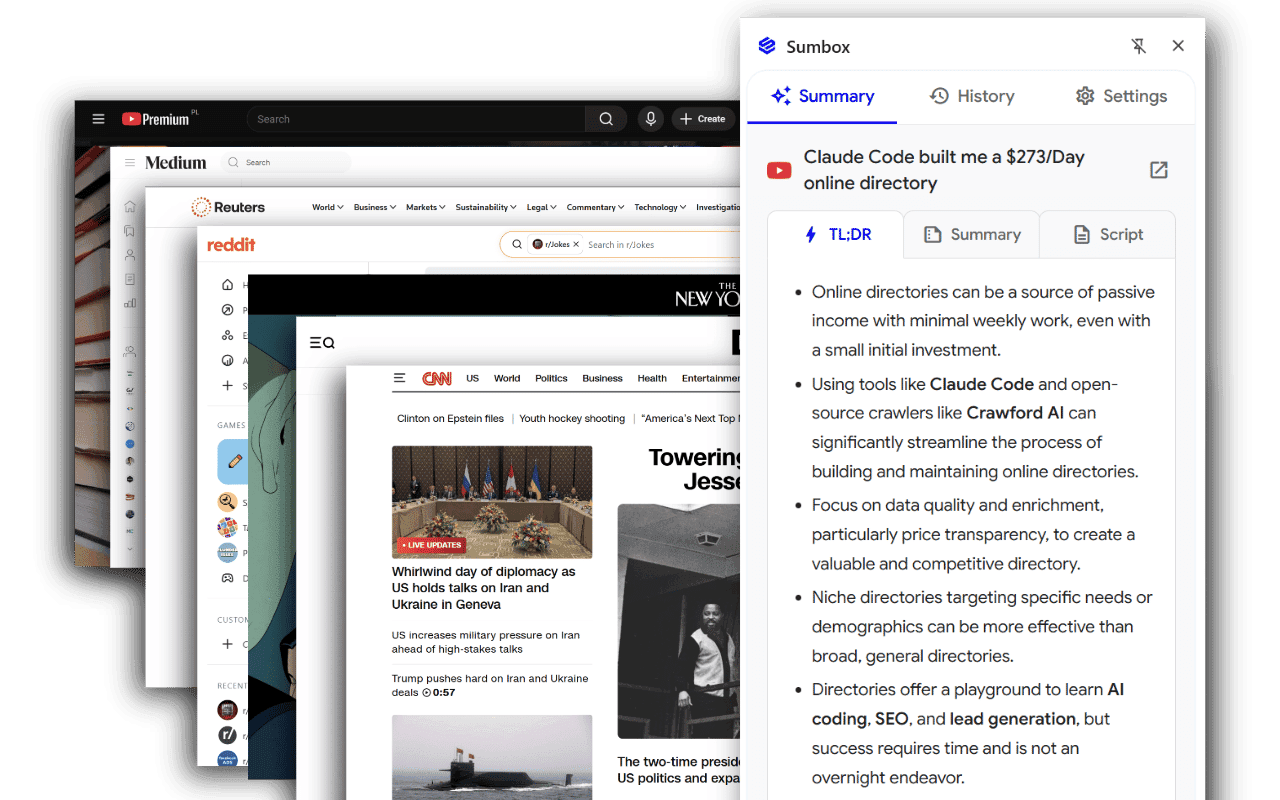
Avg. summary time
Even for 60-min videos
Everything you need to read faster
Instant AI summaries, multilingual output, and clickable timestamps — delivered in Chrome's side panel without interrupting your flow.
Instant video summaries
Parallel processing breaks hour-long transcripts into chunks and summarizes them simultaneously. TL;DR, narrative summary, and formatted script — in about 10 seconds.
Clickable timestamps
Every transcript includes [MM:SS] timestamps that jump the YouTube player to that exact moment. Find what you need without scrubbing.
Web article summaries
Works on any blog post, news page, or publication. Ads and navigation get stripped away, leaving a clean TL;DR and full summary.
14 languages
Get output in English, Spanish, French, German, Italian, Portuguese, Polish, Dutch, Russian, Chinese, Japanese, Korean, Arabic, or Hindi.
Paywalled articles
Client-side DOM extraction lets Sumbox summarize content behind paywalls — no additional login or subscription needed.
Summary history
Every summary is saved locally so you can revisit it anytime without reprocessing. Pick up exactly where you left off.
Chrome side panel
Sumbox opens alongside your content — always accessible, never blocking the page you're reading or watching.
Export & share
Export to Markdown, HTML, Rich Text, Plain Text, or JSON. Copy or share any section in one click.
Dark mode
A full dark theme across the entire interface, saved automatically and persisted across sessions.
Powered by Gemini 2.5 Flash
Built on Google's latest AI model — optimized for speed and accuracy with structured, reliable output.
Who uses Sumbox
Whether you're prepping for a meeting, cramming for an exam, or just screening a video before committing — Sumbox fits.


Busy professionals
Digest industry news and competitor updates without blocking out an hour to watch or read. Export straight to your knowledge base.
- Catch up on industry news and competitor moves in seconds
- Pull actionable insights without leaving the page
- Export directly to Notion, Obsidian, or your team wiki

Students & researchers
Turn recorded lectures and dense academic articles into clean, organized notes with timestamps that jump to the exact moment you need.
- Summarize hour-long lectures in 10 seconds
- Jump to specific passages using clickable timestamps
- Process academic content in your preferred language

Content creators
Analyze trending videos at scale. Extract scripts, study structures, and repurpose insights — without watching every minute.
- Study competitor topics and video structures quickly
- Export formatted scripts for deep analysis
- Repurpose video summaries into blog posts or social content

Everyday users
Screen clickbait before you commit. Get the gist in seconds, then decide if the full video or article is worth your time.
- Decide if a long video is worth watching before pressing play
- Read summaries when you can't play audio
- Skip the filler and get straight to what matters

Non-native speakers
Summarize foreign-language content into your native tongue instantly. No more missing details because of a language barrier.
- Translate and summarize complex content in your preferred language
- Overcome language barriers without slowing your workflow
- Access global information comfortably in your native language
Pricing
Simple, transparent pricing
Every new user starts with a full-featured 7-day trial. Upgrade to Premium inside the extension whenever you're ready.
Trial
Full access to every feature — no credit card, no commitment.
- YouTube video summaries
- Article & web page summaries
- 14 languages supported
- TL;DR, summary & script sections
- 20 summaries per day
Add to ChromePremium
Everything in Trial, plus higher limits and pro features. Upgrade any time inside the extension.
- 200 summaries per day
- Clickable video timestamps
- Export to Markdown, HTML, JSON
- Summary history
- Priority support
Both plans start from the same place — install Sumbox from the Chrome Web Store, then choose your plan.
FAQ
Frequently asked questions
Can't find what you need? Email us — we usually reply within a few hours.
YouTube videos with captions (auto-generated or manual) and web articles from news sites, blogs, and publications. Navigate to any supported page, click the Sumbox icon, and hit Summarize.
Yes. Sumbox exports to Markdown, HTML, Rich Text, Plain Text, and JSON — so you can send summaries to Obsidian, Notion, word processors, or your own data pipelines.
About 8–10 seconds, even for hour-long videos. Parallel processing makes Sumbox roughly 5× faster than sequential summarization methods.
No. Sumbox only processes pages you explicitly choose to summarize. Preferences are stored locally in Chrome, and all data transmission is encrypted.
Sumbox supports 14 languages: English, Spanish, French, German, Italian, Portuguese, Arabic, Polish, Dutch, Russian, Chinese, Japanese, Korean, and Hindi. Choose your preferred output language in Settings — Sumbox will summarize in that language regardless of the source.
Sumbox relies on video transcripts. If a YouTube video doesn't have captions — either auto-generated or manually added — it can't be summarized. Make sure captions are enabled and the page has fully loaded before clicking Summarize.
For YouTube videos: a TL;DR with bullet-point takeaways, a comprehensive narrative summary, and a formatted script with clickable timestamps. For articles: the TL;DR and narrative summary.
Search for "Sumbox" in the Chrome Web Store, click "Add to Chrome," and pin it to your toolbar. Then navigate to any YouTube video or article, open the side panel, and hit Summarize.

Start summarizing in 10 seconds
Install the Chrome extension, open any YouTube video or article, and hit Summarize. That's it.
Add to Chrome — freeNo credit card required · 7-day free trial